


HDMI vs Micro HDMI: Key Differences for Business Devices
Post Author:
GetMI Team
Date Posted:
June 18, 2026
Share This:
Business device orders can look simple until ports, cables, adapters, and display locations are reviewed together. Standard HDMI is the larger HDMI Type A connector commonly used on business laptops, monitors, Mini PCs, projectors, and meeting room displays. Micro HDMI is the smaller HDMI Type D connector used on compact devices where space is limited. They are not physically interchangeable, but both can carry digital video and audio when the device, cable, and display support the required HDMI version.
For bulk computer orders, procurement teams should confirm the exact port type, display requirement, and accessory list before approving the configuration. This helps avoid cable mismatch, missing adapters, weak service planning, and display setup problems after delivery.
What Are HDMI and Micro HDMI?
HDMI and Micro HDMI are both digital video and audio connectors, but they are built for different device sizes. Standard HDMI is HDMI Type A, while Micro HDMI is HDMI Type D. For business device orders, the connector size should be checked separately from video output capability, because a smaller port does not automatically mean lower display quality.
HDMI for Common Business Devices
Standard HDMI, also known as HDMI Type A, is the full-size connector commonly found on business laptops, all-in-one PCs, monitors, projectors, meeting room displays, and many Mini PCs. It is easier to manage in offices, classrooms, and shared workstations because most teams already have compatible HDMI cables. For bulk device orders, standard HDMI usually reduces cable confusion and makes daily display connection simpler.
Micro HDMI for Compact Devices
Micro HDMI, also known as HDMI Type D, is much smaller than standard HDMI and is used when a device body is too thin or compact for a full-size HDMI port. It may appear on some tablets, compact computers, cameras, portable tools, or small display devices. The smaller connector saves space, but procurement teams must plan the correct Micro HDMI cable or adapter before shipment.
Practical Differences for Device Selection
For business procurement, HDMI vs Micro HDMI is less about video performance and more about deployment control. Standard HDMI is usually easier for shared environments because cables are common and the connector is easier to handle. Micro HDMI works better for compact devices, but it requires stricter accessory planning, clearer labeling, and more careful daily use.
HDMI vs Micro HDMI at a Glance
The main difference between HDMI and Micro HDMI is the physical connector size, not the basic function. Both can carry digital video and audio, but they require different cables and fit different device designs. For business buyers, the practical choice depends on device size, cable availability, daily handling, and deployment environment.
| Comparison Point | Standard HDMI | Micro HDMI |
| Connector type | HDMI Type A | HDMI Type D |
| Physical size | Larger full-size connector | Much smaller connector |
| Common devices | Laptops, monitors, Mini PCs, projectors, all-in-one PCs | Tablets, cameras, compact computers, some portable tools |
| Cable compatibility | Uses standard HDMI cables | Requires a Micro HDMI cable or adapter |
| Ease of handling | Easier for shared or frequent use | More delicate and easier to mismatch |
| Best use case | Offices, classrooms, meeting rooms, fixed workstations | Compact devices where space is limited |
| Video quality | Depends on HDMI version, device, cable, and display | Depends on HDMI version, device, cable, and display |
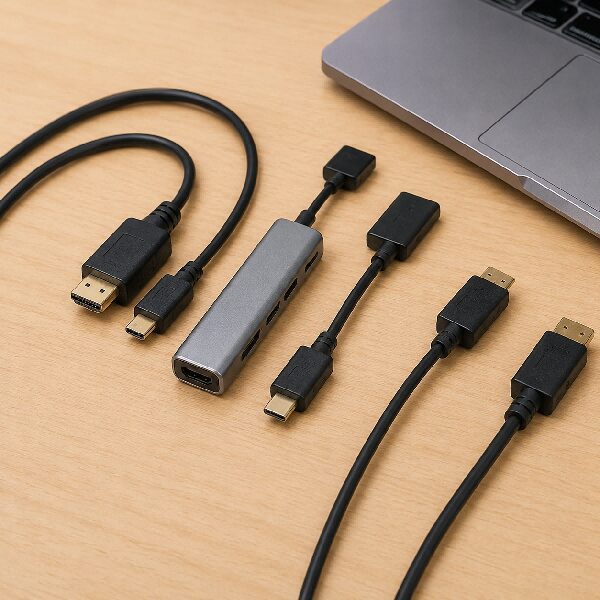
Device Types That Use Each Port
Different business devices use different HDMI connector sizes based on body design, display needs, and deployment environment. Before ordering devices, cables, adapters, or display accessories in bulk, confirm the exact port type at the model level. The table below helps procurement teams match each device group with the right display connection plan.
| Device Type | Common HDMI Port | Why It Is Used | Procurement Note |
| Business laptops | Standard HDMI or USB-C video output | Supports external monitors, projectors, and meeting room displays | Confirm whether HDMI is built in or needs a USB-C adapter |
| All-in-one PCs | Standard HDMI or HDMI input or output, depending on model | Used for external display connection or screen input or output | Check whether the HDMI port is for input, output, or both |
| Portable monitors | Mini HDMI, USB-C, or sometimes Micro HDMI | Saves space while supporting mobile display setups | Match the monitor port with the host device cable plan |
| Tablets and compact computers | Micro HDMI, USB-C, or adapter-based output | Smaller ports fit thinner device designs | Confirm video output support before ordering accessories |
| Mini PCs | Standard HDMI, DisplayPort, or USB-C video output | Supports office displays, signage, kiosks, and multi-screen setups | Check display output count and supported resolution |
Laptops and All-in-One PCs
Business laptops and all in one PCs usually favor standard HDMI because they often connect to office monitors, projectors, conference screens, and training room displays. A built in HDMI port is useful for teams that move between desks and meeting spaces. For laptops in wholesale, check the port list at the model level before accessories are standardized.
Portable Monitors and Tablets
Portable monitors and tablets often use smaller connectors because the product body is thinner and lighter. Some portable monitors use Mini HDMI or USB-C, while some compact devices may use Micro HDMI or adapter-based video output. For school kits, mobile sales teams, and field service devices, each device should be matched with the exact cable or hub required for daily use.
Mini PCs and Display Systems
Mini PCs are used for office desks, digital signage, kiosks, reception screens, and multi-display workstations. Many models use standard HDMI because the device body still has enough space for a stronger output port. When choosing compact computers, related mini PC buying advice should focus on display count, mounting location, airflow, and service access.
Compact Devices With Smaller Ports
Compact devices may use Micro HDMI when the design goal is to save space and keep the body slim. This can make sense for tablets, small control systems, portable tools, and devices that connect to an external screen only when needed. For shared deployments, a short adapter cable or docking setup can protect the device port and make replacement easier.
Mini HDMI and Micro HDMI Differences
Mini HDMI and Micro HDMI are often confused because both are smaller than standard HDMI. They are not interchangeable, and a cable that fits one will not fit the other. Procurement teams should identify the connector by device specification, supplier confirmation, or sample inspection before approving bulk accessories.
Mini HDMI Type C Devices
Mini HDMI is also known as HDMI Type C and is larger than Micro HDMI. It is often used on some portable monitors, cameras, small media devices, and compact display products. In business use, it can be practical for portable displays because it saves space while remaining easier to handle than Micro HDMI.
Micro HDMI Device Fit
Micro HDMI is known as HDMI Type D and is smaller than Mini HDMI. It is better suited for compact devices where even Mini HDMI may be too large for the case design. For devices used by students, retail staff, or rotating teams, the team should consider how often the port will be touched.
Cable Choice and Adapter Risk
The most common problem is not video performance, but buying the wrong cable or adapter for the connector. Mini HDMI and Micro HDMI cables can look similar in online listings, especially when product titles are short. Before ordering in bulk, compare sample cables against the real device and label accessory boxes clearly.
Choosing Ports for Bulk Device Orders
A good port decision should start from the deployment plan, not from the lowest cable cost. The best choice depends on the display, the user group, the location, and how often the device will be connected. The following points turn a small technical detail into a cleaner order plan.
Confirm Display Output Requirements
Start by confirming what the device must connect to, such as monitors, projectors, classroom displays, digital signage screens, or external capture devices. Check the required resolution, refresh rate, number of displays, and whether audio must pass through the same cable. These details should be recorded in the quotation, sample checklist, and final purchase order.
Match Cables With Deployment Scenarios
Cable planning should reflect how people will use the device after delivery. A meeting room laptop may need a full-size HDMI cable at the table, while a tablet kit may need a Micro HDMI adapter packed in each unit box. If the same project includes laptops, portable monitors, and Mini PCs, create one accessory matrix so each device package is checked before shipment.
Check Durability and Service Access
Durability matters when the port will be used often or by many different users. Standard HDMI is usually easier to support with common cables, while Micro HDMI may need clearer handling instructions. In classrooms, retail counters, training rooms, and shared workstations, a fixed display cable or docking point can reduce wear on smaller ports.
Standardize Accessories Before Ordering
Accessory standardization can prevent confusion across departments, campuses, resellers, or customer batches. Before placing the order, define which cables, adapters, labels, manuals, and packaging notes should be included with each device type. During the wholesale laptop production process, treat these accessory requirements as part of the order specification.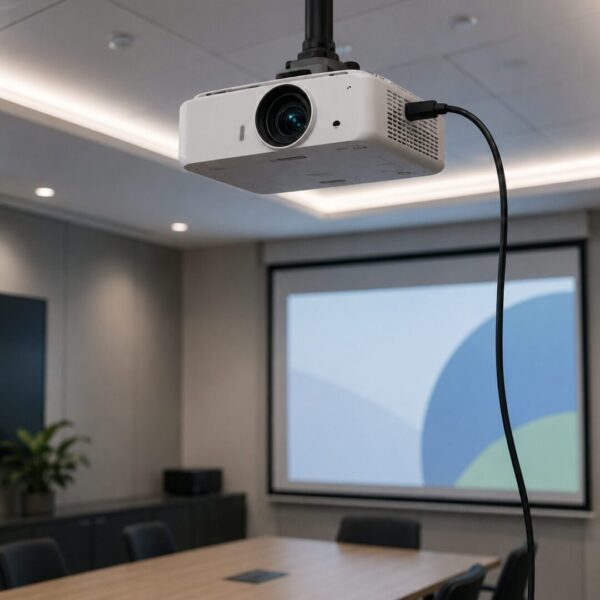
GetMi Device Options for HDMI Projects
For B2B projects, the right HDMI plan depends on the device mix and final use case. GetMi supports business-focused device sourcing across laptops, portable monitors, tablets, all-in-one PCs, and Mini PCs, so port selection should be tied to real deployment needs. The focus should be on choosing a device and accessory plan that is easy to install, maintain, and repeat across batches.
Portable Monitor Connection Scenarios
Portable monitor projects often need more than one connection method because users may connect to laptops, tablets, Mini PCs, or mobile workstations. A travel sales team may prefer USB-C for simple setup, while a training kit may still need HDMI compatibility for older laptops. If the portable monitor uses Mini HDMI or another compact port, the correct cable should be included and clearly matched to the target host device.
Laptop and Mini PC Compatibility
Laptop and Mini PC projects usually need stable display output for desks, classrooms, signage, meeting rooms, and commercial counters. A model such as the GetMi Pro 180 Laptop can be reviewed when a project needs a business laptop configuration with common workplace connectivity. For Mini PCs, the key checks include display output count, supported resolution, mounting location, and whether users need easy cable access.
OEM and ODM Port Confirmation
OEM and ODM projects should confirm HDMI requirements early because connector choice can affect case design, board layout, packaging, and accessories. If a slimmer device is needed, Micro HDMI or adapter-based output may be considered, but it should still match the service environment. Final confirmation should include port type, cable type, display test results, packaging list, and user-facing setup notes.
FAQ
Is HDMI better than Micro HDMI?
HDMI is not always better, but standard HDMI is usually more convenient for shared business environments because cables are easier to find, handle, and replace. Micro HDMI is better when the device needs a thinner or more compact design.
Can Micro HDMI support 4K video?
Yes, Micro HDMI can support 4K video if the device, cable, and display all support the required HDMI version and settings. The connector size alone does not decide the final video output quality.
Is Mini HDMI the same as Micro HDMI?
No. Mini HDMI is HDMI Type C, while Micro HDMI is HDMI Type D. They are different connector sizes, so a Mini HDMI cable will not fit a Micro HDMI port.
Is Micro USB the same as Micro HDMI?
No. Micro USB is mainly used for charging or data transfer on older devices, while Micro HDMI is used for video and audio output. The shapes and functions are different.
Which HDMI port suits business devices?
Standard HDMI usually suits laptops, all-in-one PCs, Mini PCs, meeting rooms, and fixed workstations. Micro HDMI is more suitable for compact devices when the correct cable or adapter can be controlled.
Conclusion
HDMI and Micro HDMI can both support business display needs, but they are designed for different device sizes and deployment plans. Standard HDMI is easier to manage in shared offices, classrooms, and fixed workstations, while Micro HDMI is better suited for compact devices that need a smaller connector. For bulk orders, confirm the exact port type, display requirements, cable kit, and service environment before approving samples or mass production.

