


Windows 11 Home vs. Pro: Which Is Right for Business Devices?
Post Author:
GetMi Team
Date Posted:
August 27, 2026
Share This:
Windows 11 Pro fits managed business devices. Windows 11 Home can fit a standalone or resale device when the buyer does not need centralized identity, policy, encryption management, or remote-device controls.
The edition does not make a device faster. It changes the controls available when a buyer needs to set up, secure, support, and repeat the same device across a batch.
Windows 11 Home vs. Pro: Business Differences
Windows 11 Pro adds the business controls that change how IT enrolls, protects, supports, and updates devices. Home can run business applications, but it does not provide the same organization-level capabilities.

| Buying question | Windows 11 Home | Windows 11 Pro | Procurement effect |
|---|---|---|---|
| Will the device join Microsoft Entra ID or a domain? | Cannot join Microsoft Entra ID or a domain. | Supports Microsoft Entra join, hybrid join, and domain join. | Use Pro for centrally identified devices. |
| Does IT need policy deployment? | No Group Policy management for business policy deployment. | Supports Group Policy. | Use Pro when policy consistency is part of support. |
| Does IT need incoming Remote Desktop access? | Can use the client, but cannot accept built-in Remote Desktop connections. | Can accept Remote Desktop connections. | Confirm the remote-support design before ordering. |
| Does the fleet need managed full-drive encryption? | Device encryption may be available on supported hardware, with fewer business management controls. | Includes BitLocker Drive Encryption. | Confirm recovery-key ownership and hardware support. |
| Is the device shared, task-locked, or used for testing? | Does not include the related Pro deployment features. | Includes Assigned Access, Hyper-V, and Windows Sandbox. | Pro may fit kiosks, shared roles, and test workflows. |
| Will IT control update deployment? | Standard consumer update controls. | Includes Windows Update for Business. | Set the update owner and maintenance window before imaging. |
When Windows 11 Pro Is the Right Choice
Choose Windows 11 Pro when the device will join a work identity system, follow organization policies, accept incoming Remote Desktop sessions, or need managed BitLocker protection. Pro supplies the edition capability, but the buyer still needs the required Microsoft tenant, licenses, configuration, and administrator ownership.
Centralize Identity and Policy

Windows 11 Pro supports Microsoft Entra join, hybrid Microsoft Entra join, domain join, and Group Policy. These controls matter when IT needs the same sign-in method, security settings, application rules, or network configuration across a batch.
Protect and Support Remote Endpoints
Windows 11 Pro includes BitLocker Drive Encryption, Remote Desktop hosting, Windows Update for Business, Assigned Access, Hyper-V, and Windows Sandbox. Choose Pro when the buyer will use one of these capabilities, then confirm the related service, policy, and hardware requirements with IT.
When Windows 11 Home Is a Reasonable Business Choice
Windows 11 Home can be reasonable when each device is standalone and the buyer has no requirement for Microsoft Entra join, domain join, Group Policy, BitLocker management, Remote Desktop hosting, Assigned Access, or Windows Update for Business.
Single-User and Standalone Devices

Home can fit a sole proprietor or small office with no central device management. The buyer should still define the edition, language, activation responsibility, user setup, recovery process, update owner, and security tools before delivery.
Resale and Trial Channels
Distributors can choose a Home SKU for a price-sensitive retail or light-office channel when the device is not sold as a managed corporate endpoint. For wholesale laptop orders, state the edition in the listing, keep it fixed on the approved sample, and do not promise domain join, managed BitLocker, Remote Desktop hosting, or centrally controlled updates.
How to Specify Windows in a Business Device Order
The purchase order should name the Windows edition and delivery state, then tie both to the approved sample. For a custom laptop build, freeze the operating-system requirement with the hardware configuration before the batch begins.
Lock the Edition and Activation Route
Record Windows 11 Home or Windows 11 Pro, the edition language, activation responsibility, image source, and the selected model, such as the GetMi Lite 140C Laptop. The record should also name the owner of Microsoft Entra, domain, Intune, encryption-recovery, and update-policy decisions.
GetMi can support hardware configuration, logo, software, packaging, and shipment work for configured business devices. The buyer should provide the approved OS requirement and confirm that the selected device, license route, and management plan fit the final deployment.
Test the Image and Management Handoff
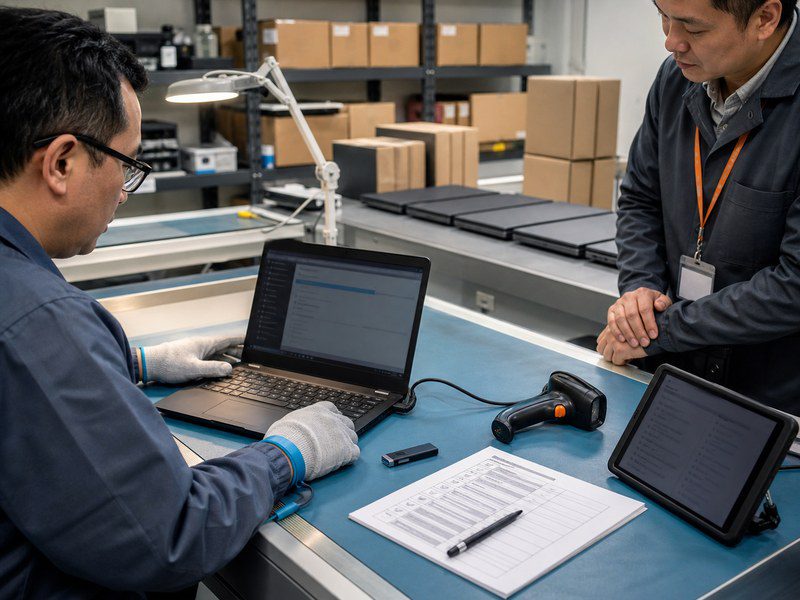
Use a sample with the final Windows edition, drivers, BIOS settings, language, required apps, security configuration, and peripherals. If Pro will join Microsoft Entra ID, a domain, or a management platform, test that handoff with the buyer’s IT process before production.
Keep one batch record for the approved model, OS edition, image version, driver package, BIOS settings, activation method, recovery method, and substitutions. Recheck the image and enrollment path when the supplier proposes a hardware or BIOS change for the selected laptop category.
FAQs
Can Windows 11 Home Join Microsoft Entra ID?
No. Microsoft states that Microsoft Entra join works with Windows 10 and Windows 11 devices except Home editions. A Home device can use work applications and accounts, but it cannot become a Microsoft Entra joined device.
Does Windows 11 Pro Require Microsoft Intune or Microsoft 365?
No. Windows 11 Pro does not require Microsoft Intune or Microsoft 365 to run. Intune, Microsoft Entra, Microsoft 365, and other services may require their own licenses and configuration when the buyer uses them for management, identity, or applications.
Can a Business Upgrade Windows 11 Home Devices to Pro Later?
Yes. Windows can upgrade from Home to Pro with an appropriate Pro license. For a bulk order, confirm licensing, activation, the final image, management enrollment, and validation requirements before using that route.
When Should a Business Consider Windows 11 Enterprise Instead?
Consider Windows 11 Enterprise when the organization needs Enterprise security, deployment, update-control, or device-management capabilities beyond Pro. Microsoft describes Enterprise as an upgrade from Pro for medium and large organizations.
What Should a Bulk Device Order Specify About Windows?
Specify the Windows edition, language, activation responsibility, image version, drivers, BIOS settings, recovery method, required applications, enrollment or domain-join step, update owner, encryption-recovery ownership, and substitution approval process.

