


Wholesale Portable Monitors: A Buying Guide for Distributors
Post Author:
GetMI Team
Date Posted:
July 29, 2026
Share This:
Build the assortment around sales channels and customer use cases before comparing wholesale portable monitor prices. Lock one specification, accessory pack, packaging file set, and market-document list for each SKU. This keeps near-duplicate models out of the range and makes margins, returns, and reorders easier to track.
GetMi’s portable monitor range includes compact, mainstream, touch, battery, wireless, and larger-screen options. Limit the assortment to sizes and features that match local demand, support capacity, and target margins.
What Portable Monitor Assortment Should Distributors Stock?
Start with one mainstream wired model. Add compact, touch, battery, wireless, or large-screen SKUs when each variant serves a distinct buyer. This limits cash tied up in slow-moving inventory and makes sales data easier to interpret.
Target Channels and Customer Use Cases
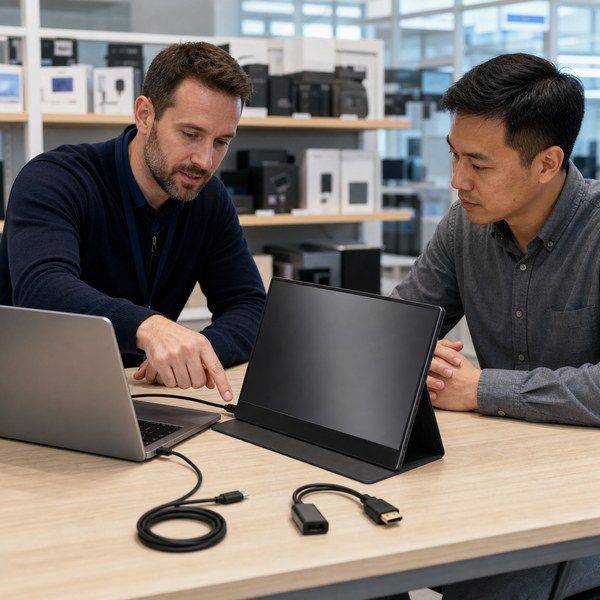
Match each SKU to a sales channel and a repeatable use case. Office resellers, online marketplaces, and gaming retailers face different compatibility, price, and support questions.
| Target channel | Main customer job | Assortment priority | Main risk to control |
|---|---|---|---|
| Computer and office reseller | Add a second screen to a laptop at a desk or while traveling | Mainstream size, simple wired connection, protective cover or stable stand | Compatibility questions and missing cables |
| Online marketplace | Review features and order without staff help | Clear entry and step-up tiers, accurate listing images, exact package contents | Returns caused by vague USB-C or power claims |
| Corporate or education supplier | Standardize a display kit for repeated deployment | Stable model revision, documented ports, repeatable accessories, support files | Batch changes and inconsistent setup instructions |
| Gaming and creator channel | Connect laptops, consoles, cameras, or other approved sources | Larger screen or higher-feature tier after sample testing | Unsupported resolution, refresh, audio, or power combinations |
| Mobile sales and field teams | Show presentations, dashboards, or product material away from a fixed desk | Low carrying weight, reliable stand, simple setup, optional battery or wireless feature | Runtime, pairing, and travel-damage complaints |
Treat wireless models as a separate approval path. Before listing compatibility, test the receiver method, target source devices, network conditions, and wired fallback.
Core SKU Tiers by Screen Size, Features, and Price Tier

Use screen size to organize the range, then separate SKUs by connection, power, mobility, and support burden. Two models that look alike may need different price tiers when one adds touch, a battery, or wireless connection.
| Assortment tier | Suggested screen class | Feature position | Price position | Stocking role |
|---|---|---|---|---|
| Compact specialist | About 10 to 14 inches | Small footprint, basic wired connection, protective cover or stand | Entry or project-specific | Stock after the channel proves demand for compact kits |
| Mainstream core | About 15.6 inches | Wired USB-C and HDMI-class input, practical stand, standard display configuration | Core volume tier | Make this the easiest SKU to explain, demonstrate, and reorder |
| Step-up mobility | About 15.6 to 16 inches | One verified upgrade such as touch, battery, wireless connection, improved stand, or another approved display feature | Mid or upper tier | Add when the upgrade supports a distinct use case and margin |
| Large-screen specialist | About 18.5 inches or larger | More viewing area with confirmed power and stand requirements | Upper or project tier | Hold limited stock or quote by project until sales data proves demand |
The GetMi P156 Portable Monitor is a documented 15.6-inch mainstream option. Its current product page lists two Type-C ports, Mini HDMI, 5V/2A input, no battery, and wireless or phone connection. Confirm the quoted revision and production sample before copying these fields into a listing.
Keep a SKU when sales staff can explain its use case and price step in one sentence. If demand data does not support the difference, the extra SKU may split sales without adding useful coverage.
Included Accessories for Each SKU Tier
Fix the accessory pack before comparing quotes. A monitor may pass sample testing with one cable yet fail for customers when the retail box contains a different cable or lacks the required power accessory.
| Assortment tier | Recommended baseline pack | Items to confirm before approval |
|---|---|---|
| Compact specialist | Approved video cable, required power cable, protective cover or stand, quick-start guide | Cable direction, source-device requirements, case fit, plug type |
| Mainstream core | USB-C cable for the approved video path, HDMI-to-monitor cable where applicable, required power accessory, stand or cover, manual | Whether one-cable operation works with each target laptop, exact HDMI connector, cable length, audio path |
| Step-up mobility | Mainstream pack plus the accessories required for touch, battery charging, wireless setup, or the chosen upgrade | Touch-data cable, charger output, wireless receiver details, pairing guide, wired fallback |
| Large-screen specialist | Approved video cable, separate power setup when required, stable stand, protective packing, setup guide | Adapter rating, stand assembly, carton protection, handling instructions |
Use the same included-item list on the quote, sample approval sheet, manual, retail box, and master carton. Assign a controlled description to each cable and adapter. Require written approval before a supplier substitutes any item.
What Packaging and Market Requirements Should Distributors Confirm?
Approve market requirements and packaging before releasing artwork. Late changes to labels, manuals, barcodes, or carton dimensions can delay production, import clearance, or marketplace setup.
Destination-Market Documents and Model Coverage
Start with the destination country and sales channel. Ask the importer, customs broker, marketplace, or qualified compliance adviser which documents apply. A general certificate list does not prove coverage for a specific portable monitor model.
For each requested document, check:
- the exact product family or model named in the file;
- the applicant, manufacturer, and factory information;
- the tested hardware revision and critical components;
- the standard or test version, report date, and current validity;
- whether a battery, wireless module, power adapter, or product change needs separate records.
Require the current quote to state certificate scope, MOQ, warranty, sample cost, and lead time for the selected model and order. Assign an owner to obtain and approve each required file.
Manual Languages, Product Labels, and Importer Details
Translate the manual after the buyer approves the hardware and setup steps. Reusing another model’s manual can create false port, power, or compatibility instructions.
The product and package labels should identify:
- the product name, model number, and electrical information;
- the serial or batch-code format and country-of-origin wording;
- the manufacturer and importer or responsible party where required;
- applicable warnings, disposal marks, and support contact.
Wireless and touch models also need setup instructions that state the tested connection path and known limits. Test every QR code, support URL, and contact method from the final artwork. Check printed text size and label adhesion on the selected housing and power accessory.
Retail Packaging, Barcodes, and Carton Configuration

Treat the retail box and shipping carton as controlled parts of the saleable SKU. The distributor or brand owner should control barcode assignment so one code maps to one product revision and accessory pack.
Check these details before approving the packaging:
- SKU name, model, color, feature tier, and barcode;
- printed claims and the evidence that supports each claim;
- included monitor, cables, adapter, stand or cover, and documents;
- retail-box dimensions, protective materials, seal method, and gross weight;
- units per master carton, carton dimensions, gross and net weight, carton marks, and pallet plan when used.
Review production-intent packing samples or photos before mass packing. During the portable monitor OEM process, artwork, accessories, test results, and the golden sample should point to the same approved revision.
How Should Distributors Compare Wholesale Portable Monitor Quotes?
Normalize every quote against one written requirement sheet. Compare unit prices after each supplier confirms the same panel requirements, port set, accessory pack, carton quantity, testing scope, and shipping term.
Matching Specifications and Included Items Across Quotes
Send each supplier the same quote sheet. Require a line-by-line response with Comply, Alternative, or Not included for every field. Do not accept a general claim that two models are equivalent.
| Quote field | Comparison point |
|---|---|
| Product identity | Supplier model, hardware revision, sample ID, and substitution rule |
| Display | Screen class, resolution, aspect ratio, brightness target, color requirement, refresh target, finish, and acceptance method |
| Connection and power | USB-C video path, HDMI connector, audio, power input, one-cable conditions, adapter, and plug |
| Feature tier | Touch, battery, wireless, speakers, stand, cover, or other ordered functions |
| Included items | Cable types, quantities, lengths, adapter, case or stand, manual, and spare items |
| Branding and packaging | Logo method, label files, retail box, barcode, carton, and artwork charges |
| Documentation | Requested reports, declarations, manuals, test records, and model coverage |
| Quality control | Sample approval, inspection points, acceptance criteria, change control, and batch records |
| Commercial terms | Quantity tier, MOQ, sample terms, payment terms, Incoterm, production lead time, and quote validity |
Request a marked data sheet when a supplier offers an alternative. Check whether the change affects channel fit, support work, compliance, or margin.
A portable monitor manufacturer evaluation should also cover factory identity, change control, testing records, and document handling. These checks show whether the supplier can repeat the approved build.
Comparing Price Tiers, MOQ, and Carton Quantity
Compare prices at the same quantity, currency, Incoterm, configuration, and packaging level. Record separate MOQ thresholds for each SKU, color, logo, box design, or production run.
Also compare:
- units per carton and whether the order must use full-carton multiples;
- one-time artwork, setup, tooling, testing, or document charges;
- sample price and whether any credit applies to a later order;
- spare-unit or spare-part quantities;
- price validity and the conditions that allow a component or price change.
Keep sample quantities, trial order quantities, and the MOQ in wholesale for mass production as separate quote fields. Use the MOQ in the current quote for inventory and margin planning, since the threshold can change with the model and customization scope.
Estimating Landed Cost and Resale Margin
Compare landed cost per saleable unit, not the factory unit price. Total landed order cost includes goods, customization, inspection, origin charges, freight, insurance, duty, brokerage, destination charges, local delivery, and finance allowance.
| Calculation | Formula |
|---|---|
| Landed cost per saleable unit | Total landed order cost / expected saleable units |
| Resale margin | (Net selling price – landed cost – channel fees – fulfillment cost – support and return provision) / net selling price |
Expected saleable units should exclude approved samples, display units, the planned damage allowance, and other non-saleable stock. Treat recoverable taxes according to local accounting rules instead of adding them automatically as a permanent product cost.
Run both calculations for each SKU and channel. A higher-cost model earns a better margin when customers pay for the added feature and support costs stay under control.
How Should Distributors Launch the Assortment and Plan Reorders?
Launch with a controlled trial, then plan reorders from sell-through and return data instead of relying on the initial forecast. The trial must test the complete saleable kit as the customer receives it.
Placing a Controlled Trial Order
Portable monitor reorder review](https://getmilaptop.com/wp-content/uploads/2026/07/portable-monitor-trial-reorder-review.jpg "portable monitor trial reorder review")
Choose the smallest SKU set that covers the intended customer use cases. Use production-intent units with final accessories and packaging.
Before release, approve:
- One signed requirement sheet for each SKU.
- A matching golden sample or controlled sample record.
- The final accessory list, labels, manual, box, barcode, and carton plan.
- The inspection method and pass criteria.
- The written MOQ, lead time, payment, shipment, warranty, and return-handling terms.
Allocate the trial across the intended channels and tie every sale and return to the exact SKU revision. A cheap trial does not prove that the supplier can repeat the same components and packing.
Preparing Product Listings and Support Materials
Build listing and support files from the approved sample record. Keep separate files for standard, touch, battery, and wireless variants.
Each SKU file should state:
- the approved product name, model, and revision;
- dimensions, weight, display data, ports, and power method;
- compatibility conditions, included accessories, setup steps, and known limits;
- final product and packaging images;
- the written warranty or return route and file revision date.
Translate the final approved file set. Use the same revision across marketplace listings, dealer materials, and support documents.
State the condition behind each feature claim. A USB-C listing should name the required video mode, since the connector alone does not prove video support. VESA states that DisplayPort Alt Mode over USB-C can carry display video when the source device supports that mode.
Using Sell-Through and Return Data to Adjust the SKU Mix and Plan Reorders
Track sell-through, weeks of supply, returns, and support reasons by SKU, revision, and channel. Shipments to dealers can hide slow retail movement, so use end-customer sales when the channel provides them.
| Signal | What to measure |
|---|---|
| Stock movement | Units received, units sold, current stock, and weeks of supply |
| Sales rate | Results by channel, price, promotion, and time period |
| Returns | Return rate and reasons such as compatibility, cable, power, stand, display, damage, or listing mismatch |
| Support | Contact volume, reported issue, and the fix that resolved each case |
| Margin | Gross margin after channel fees, returns, and support cost |
Use the observed weekly sales rate and the lead time in the current supplier quote:
Reorder point = (average weekly unit sales × replenishment lead time in weeks) + safety stock
Set safety stock from demand variation, shipment risk, and the cost of running out. Before every reorder, require the supplier to reconfirm the model revision, controlled components, accessories, packaging files, documents, price, and lead time.
Once the buyer approves the assortment and quote scope, send the target market, channels, quantities, and required feature tiers to the GetMi OEM/ODM computer factory.
FAQs
What Is the Difference Between a Portable Monitor and a Laptop Screen Extender?
A portable monitor is a separate external display. A laptop screen extender attaches one or more panels to the laptop with a frame or bracket. Since sellers sometimes mix the two terms, distributors should confirm the physical design, supported laptop sizes, weight, cables, and power setup before naming the product.
Can a Portable Monitor Work With Any Laptop?
No. The laptop needs a compatible video output, such as USB-C with DisplayPort Alt Mode or a matching HDMI output. The monitor also needs enough power. Test the target laptops, cables, adapters, operating systems, sleep and wake behavior, and audio before publishing a compatibility list.
Does a Portable Monitor Need a Separate Power Source?
It depends on the connection and source device. A compatible USB-C connection may carry both video and power, but some laptops cannot supply enough power for the selected brightness or feature set. An HDMI connection carries the video signal, so the monitor still needs USB power, an adapter, or a charged built-in battery. Confirm the exact power path with the production sample and packed accessories.
Can a Portable Monitor Extend a Laptop Screen Instead of Mirroring It?
Yes. A portable monitor can extend the desktop when the laptop, connection, graphics hardware, and operating system support an external display. Windows provides separate Duplicate and Extend options, as shown in Microsoft’s multiple-monitor instructions. Test the promised mode on each supported device family.
Will Using a Portable Monitor Drain a Laptop Battery Faster?
Yes. A portable monitor can shorten laptop battery runtime when the laptop powers the display or drives a second screen. The effect depends on monitor power demand, brightness, connection method, battery condition, graphics workload, and active applications. Use external monitor power when practical. Do not publish a runtime claim without a model-specific test.

