

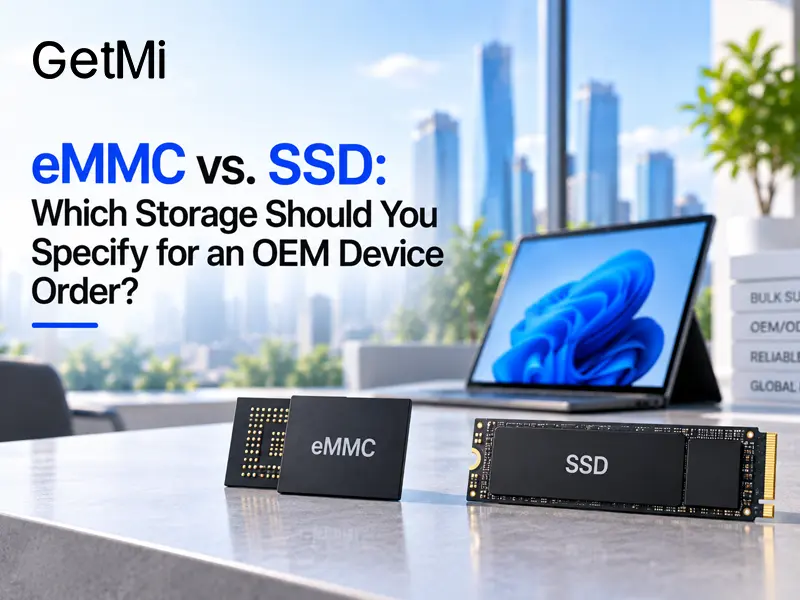
eMMC vs. SSD: Which Storage Should You Specify for an OEM Device Order?
Post Author:
GetMI Team
Date Posted:
September 23, 2026
Share This:
eMMC fits a cost-controlled device with a light, predictable workload and no need for field-replaceable storage. An SSD is the stronger choice when the product needs higher storage performance, more local capacity, or a simpler service path. Model support sets the limit, so one GetMi device may not offer both options.
Put the choice in the RFQ, sample test plan, and approved bill of materials (BOM). A quote limited to “storage included” leaves the capacity, interface, component, and substitution rules open.
How Do eMMC and SSD Differ for OEM Device Orders?
Both eMMC and SSD are nonvolatile flash storage, but they lead to different device designs and support plans. eMMC combines NAND flash and a controller in a compact package soldered to the mainboard. An SSD has its own controller, interface, and form factor. Some client-device SSDs use a replaceable module; actual service access depends on the chassis and board design.
| Decision Factor | eMMC | SSD | Procurement Effect |
|---|---|---|---|
| Performance | Fits light, predictable storage activity | Typically handles heavier file activity and multitasking better | Test the final OS image and apps on the proposed component |
| Capacity Planning | Fits products with limited local storage demand | Better suited to larger local datasets and growing app footprints | Leave room for the OS, updates, apps, caches, logs, and user files |
| Device Cost | Can support a lower device cost on compatible platforms | May raise the storage portion of the BOM | Compare total device cost and the after-sales plan |
| Replacement | Requires board-level repair or board replacement | A technician can replace a serviceable module without changing the mainboard | Define the repair owner and spare-parts plan |
| Production Control | A component change can affect firmware, image deployment, and board validation | A drive change can affect performance, thermals, firmware, and image behavior | Require written approval and retesting for any substitution |
An SSD quote still needs the physical format, host interface, controller or approved part, NAND requirements, firmware, capacity, and acceptance criteria. The same applies to eMMC. Choose the storage class first, then define the production part and test result.
Choose Storage for the Deployment
The storage choice should match the device, expected workload, OS image, target price, and service plan.
Device and Workload Fit
eMMC fits compact platforms with embedded storage and a light, controlled workload. A distributor tablet used for forms, media playback, catalogs, or a fixed app set may fit this profile.

An SSD is better suited to general Windows productivity, heavier browser use, frequent software installation, larger local files, or sustained storage activity. A serviceable SSD can also give corporate IT teams a simpler route for replacement or reimaging. The exact model must still provide the required interface, physical space, firmware support, and service access.
OS Image and Capacity Headroom
The OS name does not settle the decision. Android devices can slow down when storage is nearly full or the workload writes data continuously. Windows updates, security tools, browser caches, local files, and new applications also consume headroom over time.

Test the approved image with the expected applications and retained data, then repeat the workload after updates. A successful first boot does not prove that the available capacity will remain adequate throughout the deployment.
Target Price and Service Cost
eMMC can help a price-sensitive product reach its target price, but the workload and after-sales plan still need to support that choice. Heavy multitasking, board-level repair, or complete-unit replacement may offset the initial saving.
A socketed SSD may simplify service when the exact model provides technician access. Compare the quoted device cost with the expected support work and replacement method before approving the production BOM.
Define the Storage Specification Before the RFQ
A useful RFQ states what the storage must do, which component boundary the factory must hold, and how the sample will pass. “128 GB storage” or “SSD” is too broad for production control.
| RFQ Field | What to State |
|---|---|
| Device and OS | Device type, exact OS edition or build, language, licensing responsibility, and image owner |
| Workload | Required applications, browser load, file sizes, write frequency, local data retention, and daily operating pattern |
| Storage Type | eMMC or SSD, subject to confirmation that the selected model supports it |
| Capacity | Required usable headroom after the approved OS image, updates, apps, and recovery files |
| Interface and Format | Complete interface and physical form for the model; “M.2” or “SSD” alone is incomplete |
| Performance Acceptance | Workload-based results for startup, app launch, file copy, installation, updates, and sustained use |
| Component Identity | Manufacturer, part number, firmware revision, or an approved-equivalent list when the project needs tight control |
| Service Method | Board-level repair, whole-board replacement, or storage-module replacement, plus spare-parts responsibility |
| Change Control | Written notice, comparison data, a new sample, and the person authorized to approve a substitute |
Keep the target price, order quantity, destination market, and after-sales method with these fields. They help the supplier choose a compatible platform. Engineering and sales still need to confirm the proposed model, capacity, and interface.
Test the Production-Intent Sample
Use a production-intent sample with the same storage part, OS image, applications, and supporting configuration planned for shipment. A clean benchmark on an engineering unit cannot prove how the complete approved device will behave in the field.
OEM production sample storage test](https://getmilaptop.com/wp-content/uploads/2026/09/03-oem-storage-sample-test.jpg "03 oem storage sample test")
- Install the final OS image, drivers, updates, security tools, business apps, and required language packs.
- Match the storage identity, capacity, interface, firmware, and free space to the quotation and sample record.
- Run the expected daily tasks with realistic files, browser tabs, peripherals, network conditions, and session length.
- Measure startup, sign-in, app launch, file copy, update installation, and recovery or reimaging time.
- Repeat the heaviest workload after the device is warm and the drive contains a realistic amount of data. Short tests on an empty drive can hide slowdowns.
- Save the pass limits, logs or screenshots, sample serial number, storage part identity, OS image version, and written approvals.
When eMMC passes every acceptance condition and protects the target price, paying more for an SSD may not improve the sellable product. A failed workload test means the configuration needs to change. Move to a suitable SSD-capable platform or narrow the workload and document the new product boundary.
Lock the Approved Storage Into the Production BOM
Production control needs an approved storage baseline, a replacement approval path, and a way to verify shipped units.
OEM storage BOM change approval](https://getmilaptop.com/wp-content/uploads/2026/09/04-oem-storage-bom-change-control.jpg "04 oem storage bom change control")
Approved Storage Baseline
The production BOM needs more than the storage type and capacity. Projects that require component-level control should name the manufacturer and part number. Another option is a written approved-equivalent list with minimum requirements for the interface, format, firmware, performance, thermal behavior, and endurance. Keep the approved OS image and sample test record with the same configuration baseline.
Component Replacement Approval
Any proposed replacement for the approved eMMC or SSD should start with a component change request. The factory should state the reason, old and new part numbers, specification differences, availability impact, and tests it will repeat. The distributor product manager, corporate IT lead, or named procurement authority must approve or reject the change in writing before affected units enter mass production.
Production Verification
Incoming or pre-shipment inspection should compare production units with the storage baseline. Inspectors can check component identity through the OS, firmware, or factory records, then repeat a short set of approved workload tests on sampled units. This check connects the approved sample to batch consistency and catches later substitutions.
Send GetMi a Complete Storage Brief
GetMi can discuss hardware configuration, software setup, sample prototyping, testing, trial orders, and mass production. Storage support depends on the selected device platform, so GetMi must identify the product family and current model before confirming eMMC or SSD. Send GetMi the device type, OS, and workload, along with the storage type, required capacity, quantity, target market, target price, and after-sales method.
For tablets, laptops, and other practical B2B computer projects, ask for the storage line in the quotation, the production-intent sample configuration, the BOM control method, and the substitution approval path. GetMi must confirm the component brand, capacity, interface, price, MOQ, and lead time for the selected model and order.
FAQs
Can an OEM Device Include Both eMMC and an SSD?
Sometimes. The exact model must support both storage devices. The project brief should state which device holds the OS, which one holds user data, and how recovery works if either device is unavailable. Test that layout on production-intent hardware with the approved image. Dual-storage support on one GetMi model does not mean another model offers the same configuration.
Can You Reuse the Same OS Image After Changing the Storage Type?
Do not assume the existing image will work unchanged. Validate the partition layout, boot process, recovery tools, storage drivers, available space, updates, and restore process on a new sample. Record the approved image version with the storage component so production does not pair a tested image with an untested eMMC or SSD configuration.
What Should the After-Sales Plan Cover if Soldered eMMC Fails?
Treat failed soldered eMMC as a board-level service case unless the approved repair method states otherwise. Define who diagnoses the unit, whether the service team replaces the mainboard or complete device, how the organization backs up required user data, and how the service team handles returned storage under the buyer’s security policy. Approve this workflow before bulk shipment.

