

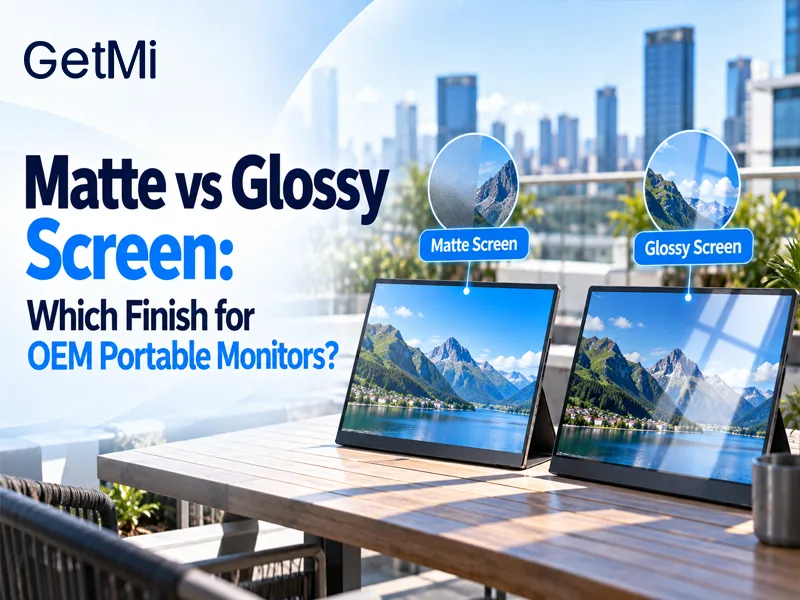
Matte vs Glossy Screen: Which Finish for OEM Portable Monitors?
Post Author:
GetMi Team
Date Posted:
October 2, 2026
Share This:
Start with a matte sample for portable monitors deployed in corporate offices, window-facing workstations, or mobile travel kits. When ambient lighting is controlled and the monitor displays media presentations or color-sensitive design work, test a glossy configuration. Always verify optical performance on a physical sample built with the exact production panel and cover layer.
What Screen Finish Changes on a Display Panel
Matte and glossy finishes determine how the outer display face reflects ambient light. Surface treatment operates independently from the display cell; it does not change native resolution, color gamut, or backlight luminance. Sourcing teams comparing panel structures, such as IPS vs OLED portable monitors, must treat surface finish as a separate mechanical layer bonded to the front polarizer or cover glass.
Specular Reflection on Glossy Panels
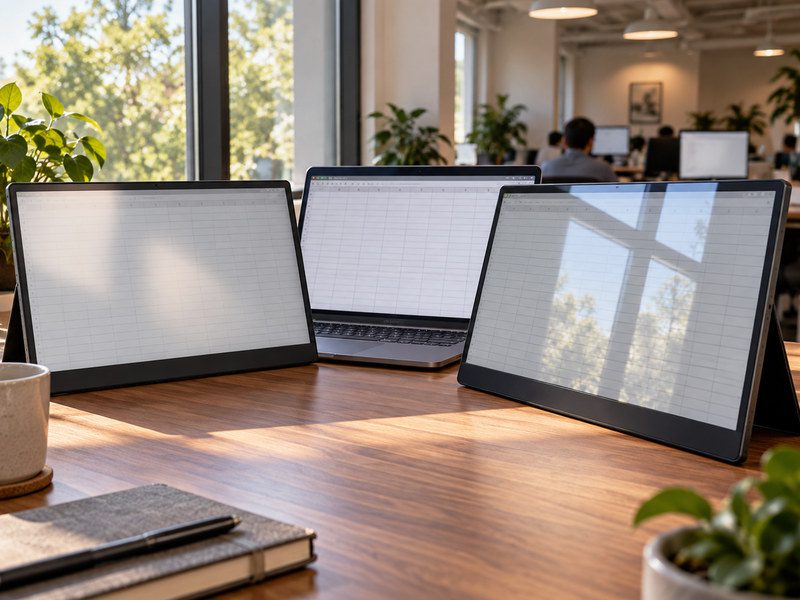
Glossy displays use an optically smooth front surface. Incoming light reflects off the panel at the same angle it strikes, producing specular reflection. Under bright downlights or near unshaded windows, this creates sharp mirror reflections of light fixtures and room objects.
In dark rooms, this smooth surface prevents light scattering. Without a diffusing layer over the subpixels, glossy panels maintain pure black levels, sharp text contours, and punchy perceived contrast.
Diffuse Scattering on Matte Panels
Matte displays use an anti-glare (AG) surface created by chemical etching or a micro-textured topical film on the front polarizer. This micro-texture breaks direct light beams into diffuse reflections, softening sharp glare into a wide, indistinct haze.
While diffuse scattering keeps spreadsheets and text legible under harsh ceiling lamps, it spreads reflected light across dark content. In bright rooms, this raises perceived black levels to a dark grey tone.
Pixel Sparkle and Scintillation on Dense Displays
Anti-glare etching cuts reflections, but coarse surface textures can degrade pixel sharpness. On high-density screens above 200 PPI, etched micro-facets act like tiny lenses over individual subpixels. This effect, known as sparkle or scintillation, creates a faint multicolored grain across white documents and grey backgrounds.
Engineering teams must specify an optimal haze value that cuts glare without introducing grain into fine text or technical drawings.
Technical Comparison: Matte vs Glossy Portable Displays
The following table summarizes optical behavior, physical specs, and target use cases for each finish.
| Optical Specification | Matte (Anti-Glare) Finish | Glossy (Reflective) Finish |
|---|---|---|
| Reflection Type | Diffuse scattering | Specular reflection (mirror effect) |
| Standard Haze Range | 15% to 28% haze | Below 1% haze |
| Surface Gloss (60° GU) | 10 to 35 Gloss Units | 70 to 90+ Gloss Units |
| Bright Ambient Legibility | High legibility under uncontrolled light | Low legibility; glare obscures content |
| Dark-Room Perceived Contrast | Slight grey wash under direct light | Deep black levels and punchy contrast |
| Pixel Sparkle / Scintillation | Possible grain on dense panels above 200 PPI | Zero grain; native pixel clarity |
| Touchscreen Integration | Requires chemically etched glass or AG film | Standard raw glass or oleophobic coated glass |
| Target Deployment | Enterprise fleets, education, mobile business kits | Creative agencies, showroom demos, retail counters |
Match Screen Finish to Enterprise Lighting Environments
Base finish selection on workspace lighting that users cannot move or dim.
Window-Side Desks and Open Offices
Offices running 300 to 500 lux ceiling troffers create severe glare on smooth glass. Specular reflections force users to twist or tilt the screen to read text. A matte finish with 20% to 25% haze scatters ceiling glare, keeping spreadsheets and code editors legible at standard viewing angles.
Mobile Field Work: Cafes and Commuter Hubs
Portable monitors paired with laptops face unpredictable light sources. Users encounter low-hanging pendant lamps in cafes or direct sunlight through airport concourse windows. A matte panel serves as the reliable default for travel-focused OEM SKUs because users rarely control window placement or seating.

Controlled Showrooms and Creative Studios
In fixed setups where track lighting sits outside the reflection path, glossy displays offer distinct visual strengths. Client demos, video review sessions, and interactive showroom displays show richer color saturation and deeper black levels on an untreated glass or glossy polarizer surface.
Glossy portable monitor in a creative studio](https://getmilaptop.com/wp-content/uploads/2026/10/glossy-portable-monitor-creative-studio.jpg "glossy portable monitor creative studio")
Touchscreen Considerations: The Cover Glass Factor
Adding touch capability changes the physical stack. Capacitive touch panels place a sheet of tempered cover glass in front of the active display module.
Standard touch cover glass is naturally glossy. An OEM order specifying a matte touchscreen cannot rely on an anti-glare LCD panel behind standard glass, as the outer glass surface will still act as a mirror. To deliver a matte touch monitor, the factory must either:
- Use chemically etched cover glass (AG glass), which preserves scratch resistance and smooth finger glide at higher NRE tooling and unit cost.
- Laminate an optical matte film over standard cover glass, which lowers upfront cost but risks surface scratching and edge peeling over time.
Confirm the cover glass fabrication method during initial project scoping whenever touch capability is required.
Step-by-Step Sample Testing Protocol for Sourcing Teams
Never approve a production batch based on an “anti-glare” catalog label. Test a physical sample built to production intent using these four steps:
- Dark-Room Specular Check: Turn off the monitor in a dark room. Place a 500-lux lamp at a 45-degree angle three feet away. Check whether the lamp filament reflects as a sharp outline (glossy) or an indistinct blur (matte).
- Ambient Contrast and Washout Test: Power on the screen in an office lit to 400 lux. Open a spreadsheet and a dark interface. Check whether overhead fixtures wash out black borders into grey or hide fine text.
- Pixel Scintillation Check: Display a solid white image at 100% UI scaling. Check whether the surface micro-texture introduces visible color grain over text characters.
- Surface Drag and Smudge Test: On touch models, test finger glide friction. Check how visibly finger oils adhere and verify that a dry microfiber cloth wipes smudges clean.
Record lamp positions, display tilt, and brightness settings with photos so receiving inspectors can reproduce the exact test setup during lot inspections.
How to Lock Finish Specifications in the RFQ
Screen dimensions and resolution do not define surface finish. Assembly plants can change panel revisions between production runs, preserving diagonal size and resolution while substituting a different polarizer treatment.
To prevent component drift, lock these details in the request for quotation (RFQ) and technical agreement:
- Name the specific treatment: chemical etching, anti-glare topical film, or optically clear cover glass.
- Define target haze and gloss metrics, such as 25% ± 3% Haze and < 30 GU at 60° for matte, or > 80 GU for glossy.
- State surface hardness requirements, such as 3H pencil hardness for polarizer films or 7H for chemically tempered glass.
- Tie final portable monitor OEM process sign-off to a signed golden sample held by both your QA team and the factory.
- Mandate that incoming shipments undergo portable monitor batch inspection against this sealed sample under identical lighting conditions.
What to Confirm with GetMi Before Placing a Sample Order
When planning private-label portable monitors, share your deployment settings, target ambient lux, touch needs, and channel profiles with GetMi. Confirm whether the proposed open-cell LCD comes from the foundry with an integrated anti-glare polarizer or requires custom cover-glass etching. Aligning optical specifications early ensures the evaluation sample directly matches the mass-production Bill of Materials.
Frequently Asked Questions
Is Anti-Glare the Same as Anti-Reflective?
No. Anti-glare (AG) treatments use physical surface textures to scatter incoming light into diffuse reflections, softening sharp outlines. Anti-reflective (AR) treatments use optical interference coatings to cancel out light waves, cutting total reflected light without scattering it. Displays occasionally combine both treatments, but they rely on different optical mechanisms.
Does a Glossy Finish Mean the Monitor Supports Touch?
No. Surface finish describes only the texture of the outer display face or cover glass. Touch support requires a digitizer sensor layer, a controller IC, and dedicated firmware routing. Many non-touch monitors use glossy polarizers, while enterprise touchscreens frequently use chemically etched matte glass.
Can an Aftermarket Matte Screen Protector Replace a Factory Matte Finish?
An aftermarket film changes optical tolerances and touch response. Removable protectors introduce an extra optical layer that can trap air, reduce touch sensitivity, and increase pixel sparkle. If a retail product includes a protective film, test the display with that film applied and record both items in the approved engineering specification.
What Haze Level Works Best for Enterprise Portable Displays?
A haze rating between 20% and 28% offers the most reliable performance for general business deployments. This range scatters overhead office glare effectively while keeping pixel sparkle low on high-resolution portable panels.

