

When Is Mini PC Wholesale the Right Fit for a Retail Digital Signage Rollout?
Post Author:
GetMI Team
Date Posted:
September 28, 2026
Share This:
Mini PC wholesale fits a retail digital signage rollout when retail IT has approved one setup for a defined store group and those stores have firm installation dates. Keep untested locations and uncertain openings in smaller purchase groups.
When Does One Bulk Order Fit the Rollout?
Place one bulk order for stores that can use the same tested mini PC setup within a planned installation window.
Approved Store Counts and Device Scope
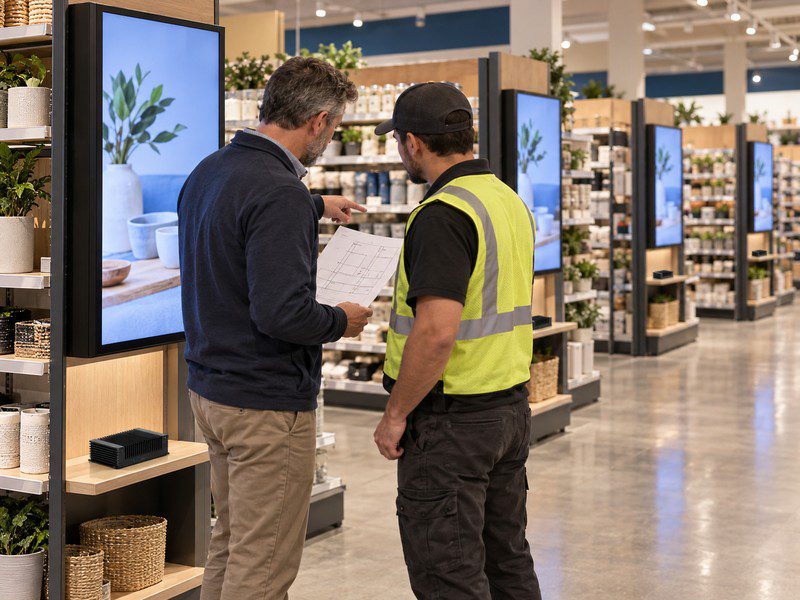
Count signage positions at each store, not just stores. A branch with one counter display needs fewer units than a branch with screens across the sales floor, even when both use the same device.
Retail IT should test the mini PC with the intended signage software, operating system, and display connections. That approval covers stores with the same arrangement; locations needing a different setup stay outside the order group.
Site Exceptions and Rollout Timing
Keep installation details, such as a longer cable route, in the installer’s notes. A different display output, software image, or enclosed mounting space may require another device approval.
Order by installation wave. A later wave can use the same setup if its display and software plans still match. Combining purchases may simplify order records, but volume alone does not prove a lower total cost.
When Is Store-by-Store Purchasing the Better Choice?
Buy in smaller groups while the pilot or a distinct store type has unresolved device requirements.
Pilot Setup Still Needs Approval
Test the proposed mini PC with the actual display, signage software, network, and mounting position at a representative store. Set pass criteria before the test, including whether the display returns to its intended content after a normal restart or network interruption. A desk demonstration or a single software launch cannot establish that result.
Retail mini PC signage pilot test](https://getmilaptop.com/wp-content/uploads/2026/09/mini-pc-retail-signage-pilot-test.jpg "mini pc retail signage pilot test")
Record the display arrangement, software version, device configuration, and installation conditions that passed. A wall display test does not approve an enclosed kiosk or a different content platform. Procurement can order for the tested stores while IT checks those other settings.
Store Types Require Different Setups
Changing promotions may not change the hardware. A different screen connection, software image, or need for service access may. Retail IT should separate device changes from installation instructions before assigning stores to an order group.
Procurement can buy for store types that repeat the approved setup. Individual orders suit unique requirements or shifting opening dates. Combine a later wave once its setup passes and its installation dates are firm.
How Does the Purchasing Route Change the Rollout Plan?
A central order needs advance IT approval and inventory planning. Store-by-store buying lets local teams handle more exceptions but can increase the number of setups IT must support.
Central Approval and Local Flexibility
For a central order, retail IT approves a reference device and software image before procurement commits to the quantity. Installers can use that record to spot locations outside the approved group. If a site needs another device or image, IT should approve the change before that store enters the next order group.
Store-by-store buying gives installers room to address unusual screens or uncertain openings, but it can leave the chain supporting more images, adapters, and replacement devices. Procurement should compare the unit quote with the work of tracking those variations.
Delivery and Inventory Exposure
For staged openings, ask whether the supplier can deliver units in batches. The retailer must also decide who receives, stores, and assigns each device. Confirm those terms in the quote; a bulk price alone leaves out the cost of holding units for a delayed wave.

If an opening slips, a unit can move to another store only after retail IT checks that the receiving location uses the same approved setup.
Pilot Records Define the Order Groups
Use pilot records to count signage positions by approved configuration. Keep stores with untested software or installation conditions out of those counts until IT approves them.

When ordering computers in bulk, give the supplier the configuration, quantity for each wave, destinations, and unresolved exceptions. Update the count if a store change affects the device, then confirm price and delivery terms for the revised request.
FAQs
Does a Wholesale Mini PC Order Require OEM/ODM Customization?
No. A wholesale order can use an available mini PC configuration that passes the signage pilot. Branding or a product change is a separate request that may affect approval, price, or schedule. Confirm what is available for the proposed model.
What If the Mini PC Configuration Changes Between Rollout Waves?
Retail IT should approve the revised configuration before extending the order, even if the model name stays the same. Check the affected software, display connections, and installation conditions, then update the order record so later stores receive the approved version.
What Should the Retail Team Do Next?
Ask GetMi for a quote tied to the approved store groups and rollout waves.
GetMi lists digital signage among the uses for its mini PCs. Review GetMi mini PCs and ask which available model retail IT should test. Share the signage positions, software, display connections, installation conditions, and delivery plan. Confirm the exact model’s ports, operating system, mounting, and operating conditions before extending the order beyond tested stores

