
How Much RAM Does a Tablet Need?
Post Author:
GetMi Team
Date Posted:
October 19, 2026
Share This:
For an Android tablet, 4GB of physical RAM can be enough for basic browsing, video playback, and a controlled single-app workload. Consider 6GB–8GB for regular app switching, online learning, and everyday business use. Demanding creative applications or heavier multitasking may justify 12GB or more, but the application requirements and processor matter as much as the memory capacity.
Windows tablets need a separate assessment. Meeting an operating system’s minimum RAM requirement does not establish that a tablet will handle your daily workload comfortably.

How Much Tablet RAM Fits Your Workload?
Choose RAM around the applications that need to work together. A tablet displaying one ordering application has a different memory requirement from a tablet switching between a video lesson, browser, PDF, and notes.
The following ranges are practical starting points for evaluating Android tablets, rather than guaranteed performance levels.
| Physical RAM | Workload to Consider | Main Tradeoff | What to Check |
|---|---|---|---|
| 2GB–3GB | A narrowly defined kiosk or lightweight dedicated application | Limited room for additional software and multitasking | Test the complete deployment software before considering this tier |
| 4GB | Basic browsing, streaming, reading, and simple forms | Frequent switching between heavier apps may expose limitations | Return to previously opened apps and check for disruptive reloads |
| 6GB–8GB | Online learning, document review, business applications, and regular multitasking | Higher capacity still depends on the processor and software | Test the actual combination of apps used during a normal session |
| 12GB or more | Demanding creative work, larger projects, and heavier multitasking | Extra RAM may add little value when another component limits performance | Check application requirements and compare the same workload on lower-capacity options |
For a school deployment, test the learning platform alongside the browser, document reader, and management software. For a retail terminal, include the ordering application, scanner software, and background services.
The lowest suitable capacity is the one that completes the intended workflow acceptably. Choosing more RAM can provide room for additional demands, but it cannot guarantee compatibility with future software.
When reviewing GetMi’s tablet PC range, use the intended applications and usage pattern to narrow down suitable configurations.
What Does RAM Actually Do in a Tablet?
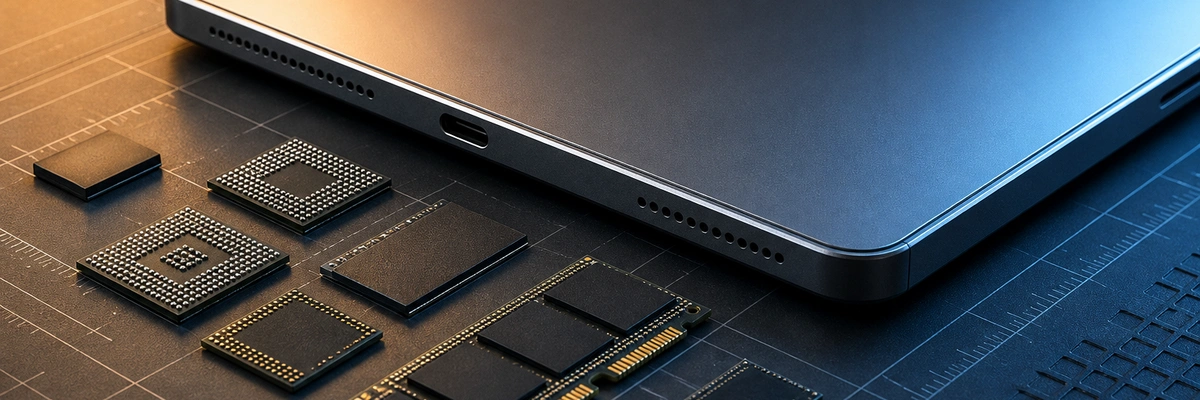
RAM is the working memory used by the operating system and running applications. Storage holds installed apps, downloaded videos, documents, and other persistent files.
A specification such as 4GB RAM + 128GB storage describes two separate resources. The 128GB storage capacity does not make the tablet equivalent to a device with more physical RAM.
Android also manages memory actively. It can retain apps for quicker return, compress memory using zRAM, and terminate processes under memory pressure. Consequently, a low free-memory figure alone does not prove that a tablet needs more RAM. The more useful evidence is what happens while someone uses it.
Watch for interruptions such as a document repeatedly reopening, a browser page reloading during a task, or an application losing progress when the user returns. These symptoms warrant investigation, although app design, background restrictions, and network problems can produce similar effects.
Is 4GB RAM Enough, or Should You Choose 8GB?
A 4GB Android tablet can be a reasonable choice when the workload is light and predictable. An 8GB configuration is worth evaluating when users regularly move between several applications or work with more demanding content.
The published GetMi Pro 8A specification lists 4GB LPDDR4 RAM, illustrating an entry-level configuration to evaluate rather than a guarantee for every workload.
Reading an ebook or playing a training video does not create the same workload as attending a video meeting while opening reference documents and editing a form. Even two browser-based tasks can differ substantially if one uses a simple page and the other runs a complex business application.
For a dedicated device, start with the required application and include everything deployed alongside it. Device management, background synchronization, and supporting services belong in the test.
For a general-purpose device, evaluate the busiest realistic session. A tablet that works well immediately after startup may behave differently once the user has opened the applications needed throughout the day.
Choose 8GB when testing shows that the additional memory meaningfully improves that workflow, or when the planned application set requires more headroom. If 4GB passes the same evaluation and the workload will remain controlled, the lower-capacity configuration may be sufficient.
Do Android, Windows, and iPad Tablets Need the Same RAM?
RAM figures should be compared within the context of the operating system and application ecosystem. The same capacity does not establish equivalent performance across Android, Windows, and iPadOS.
Microsoft lists 4GB RAM as a minimum requirement for Windows 11, while noting that specific apps and features can require more. This is an eligibility threshold, not a recommendation for every Windows tablet workload.
For Windows productivity tablets, 8GB is a sensible starting point to evaluate for lighter work; 16GB deserves consideration for heavier multitasking. Microsoft’s general memory guidance similarly identifies 8GB for longer-term everyday use and 16GB or more for demanding work such as photo and video editing. These recommendations still require application-specific checks.
For iPads, assess the exact model against the applications, features, and accessories required. An Android purchasing rule such as “choose 8GB” should not become a universal rule for every tablet platform.
Select the software platform first, then compare suitable devices within it.
Does Virtual RAM Count as Real RAM?

Virtual or extended RAM should be listed separately from installed physical RAM. A tablet advertised as “16GB RAM” may combine physical memory with a memory-expansion feature.
Samsung, for example, describes RAM Plus on supported Galaxy phones as using internal storage for virtual memory. That explanation applies to the documented feature and devices; other manufacturers’ implementations need their own verification.
Ask for an explicit breakdown such as:
- Physical RAM: 8GB
- Optional memory expansion: up to 8GB
- Internal storage: 128GB
This describes an 8GB physical-RAM configuration, even if the listing presents a combined 16GB figure. Do not assume that it will behave like a tablet with 16GB of physical RAM.
Also distinguish vendor memory-expansion features from Android’s zRAM, which uses compressed space within RAM. A larger memory-related number does not necessarily represent additional memory chips.
For distributor listings and bulk quotations, separate these figures so customers can compare configurations accurately.
When Will More RAM Fail to Solve a Slow Tablet?
Additional RAM helps when memory capacity is the constraint. It does not automatically improve processor performance, graphics capability, storage speed, or network connectivity.
If an application runs slowly even when used alone, investigate its processor requirements, software compatibility, storage behavior, and network dependency before paying for more RAM. If the main problem appears when switching among applications, memory capacity becomes a more relevant area to examine.
Screen usability also affects productivity. A tablet may have sufficient memory while making forms or documents difficult to use. GetMi’s tablet screen size guide covers that separate selection decision.
Compare complete configurations. An 8GB tablet and a 4GB tablet with different processors cannot isolate the effect of RAM alone.
How Can Buyers Test RAM Before a Bulk Tablet Order?

Test a sample with the intended applications, content, and device settings. A demonstration using only the home screen or one short video will not establish suitability for a school or business deployment.
Prepare the Actual Software Environment
Install the required applications and any device-management or security software. Use representative documents, accounts, and browser pages. Record the tablet configuration, operating system build, and application versions so the result can be reproduced.
When comparing RAM options, keep the other hardware and software conditions as similar as possible. Record differences that could affect the result.
Reproduce a Complete User Session
Follow the sequence a user will actually perform. An education test might involve joining a lesson, opening a PDF, entering an answer, switching to a browser, and returning to the lesson.
A business test might involve opening an order, attaching a photo, checking another application, and returning to submit the form. Include background synchronization where it is part of normal use.
Judge Interruptions Against the Task
Record application reloads, lost work, failed submissions, and delays that affect completion. A reload may be acceptable for a reference page but disruptive during an examination or customer transaction.
Agree on acceptable behavior before approving the sample. There is no universal free-RAM percentage that proves suitability for every deployment.
Preserve the Approved Configuration
The order specification should identify physical RAM separately from memory expansion, together with the tested processor, storage, and software build. Proposed changes should be reviewed for their effect on the approved workflow.
To discuss suitable options, contact GetMi with your required operating system, applications used together, physical RAM target, and order quantity.
Frequently Asked Questions
Will a microSD Card Increase Tablet RAM?
A microSD card adds storage on compatible tablets. It does not increase installed physical RAM. Confirm separately whether the device supports memory expansion and how that feature works.
Can Tablet RAM Be Upgraded Later?
Do not assume it can. Check the exact model’s hardware and service documentation before purchase. Where physical RAM is fixed, selecting the required capacity at the order stage is especially important.
Does More RAM Improve Gaming Performance?
It can help if the game is constrained by available memory, but frame rate and graphics quality also depend on the processor, GPU, cooling, and game settings. Check the specific game’s requirements and test the intended settings.
Is RAM More Important Than Storage?
They solve different problems. Insufficient RAM can disrupt active workloads, while insufficient storage limits applications, files, and updates. Choose both around the intended use rather than prioritizing one capacity figure in isolation.