


Best Tablets for College Students: Top Rated Picks in 2026
Post Author:
GetMi Team
Date Posted:
May 9, 2026
Share This:
Finding the right tablet for college can have a big impact on productivity, study efficiency, and entertainment on campus. In 2026, students are looking for devices that balance performance, portability, and battery life while supporting note-taking, research, streaming, and multitasking. To make your campus life easier, focus on the features that really matter for schoolwork and daily tasks.
Key Features to Look for in a College Tablet
Choosing a tablet PC is not just about picking the most expensive or trendy model. College students need a device that performs reliably for academic tasks and everyday activities. Key considerations include processor speed, display quality, battery life, and storage options, all of which determine how smoothly the tablet runs apps, presents content, and adapts to daily routines.
Processor Performance for Multitasking and Apps
A strong processor allows a tablet to run multiple apps at the same time without lag. This means students can take notes, browse research materials, watch video lectures, and use productivity tools smoothly. Tablets with newer chipsets or multiple cores offer faster response times, reducing frustration during heavy workloads.
Display Quality and Screen Size Impact
The screen is the main way students interact with their tablet, so clarity, resolution, and size are important. A bright high-resolution display reduces eye strain during long study sessions, while a larger screen can make reading PDFs, taking notes, and watching lectures more comfortable. At the same time, the screen size should remain portable enough to fit into a backpack easily.
Battery Life for All Day Usage
Long-lasting battery life is essential for life on campus. A tablet that can operate for 8 to 12 hours on a single charge allows students to attend classes, study in the library, or work in a café without constantly searching for an outlet. Efficient battery management also helps the device last longer over time.
Storage Capacity and Expansion Options
Storage determines how many apps, documents, and media files a tablet can hold. While cloud storage is useful, having adequate internal storage of at least 128GB provides faster access to frequently used files. Some tablets also allow memory expansion with microSD or external drives, giving students more flexibility as their needs grow.
Best Tablet Computer for College Students in 2026
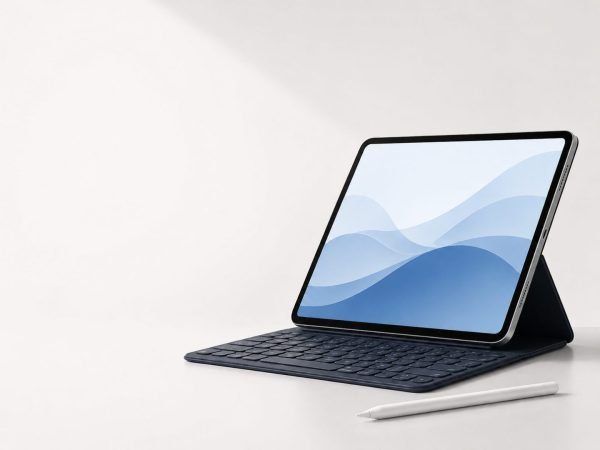
For college students, choosing the right tablet means balancing performance, portability, and functionality. In 2026, several models stand out for their power, display quality, battery life, and versatility.
TK-P1197
For students who need a tablet that keeps up with heavy multitasking, the TK-P1197 delivers smooth performance with its octa-core Unisoc T616 processor and up to 8GB RAM. Switching between note-taking apps, research browsers, and video lectures is effortless, making it ideal for full days on campus. Its 11.97-inch 2K touchscreen offers sharp, vibrant visuals, reducing eye strain during long study sessions.
The optional 13MP rear camera and 5MP front camera handle document scanning and video calls with ease, while the 8000mAh battery ensures long-lasting use without frequent charging. With a durable metal body, Type-C port, dual SIM support, and TF card expansion, the TK-P1197 balances practicality, connectivity, and portability for daily student life.
TK-P86
The TK-P86 is designed for students who want a reliable tablet for both work and entertainment. Its MTK6762 processor and 4GB RAM make multitasking smooth, while the 10.1-inch FHD display provides clear and immersive visuals for reading, streaming, or note-taking. Storage of 4GB+64GB is enough for apps and documents, and it can be expanded up to 512GB to fit a growing library of media.
A 6000mAh battery with fast charging supports full-day use, and Android 11 ensures stable operation and compatibility with most educational apps. Dual SIM 4G and dual-band Wi-Fi make it convenient for students who are often on the go, while its combination of portability and performance fits a variety of campus scenarios.
TK-E10A133
The TK-E10A133 offers a budget-friendly option for students who need a practical large-screen tablet. Its 2GB+64GB storage and 4000mAh battery handle everyday tasks like document editing, web browsing, and online classes. The half-metal body provides durability, while the G+P screen gives clear visuals for studying and light multimedia use.
With dual cameras of 2MP front and 5MP rear and dual-system support, it works well for video calls, QR scanning, and running a range of educational apps. This tablet is ideal for students who want a dependable, entry-level device that covers core academic needs without unnecessary extras.
Tablet vs Laptop for College Students: Which One Should You Choose
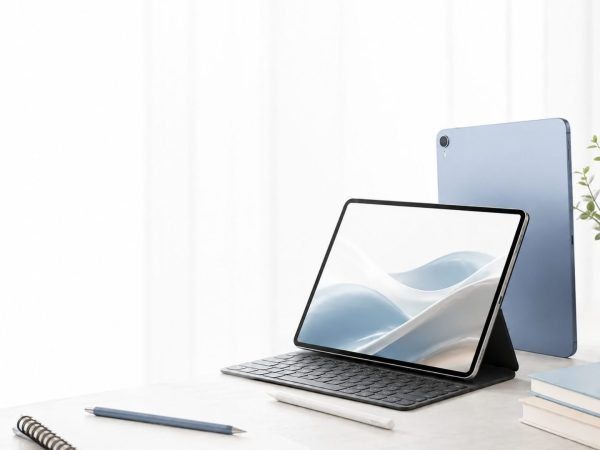
Choosing between a tablet and a laptop computer depends on how you plan to use the device during your college life. Both have advantages, but understanding your daily needs, study habits, and mobility requirements will help you make the right decision.
Comparing Portability and Daily Carry Convenience
Tablets are generally lighter and more compact than laptops, making them easier to carry between classes, libraries, and cafés. For students who prioritize mobility and quick access to digital textbooks, notes, and research apps, a tablet offers unmatched convenience. Laptops tend to be heavier and bulkier, which can make carrying them around campus less comfortable, especially for longer days.
Performance Differences for Study and Multitasking
Laptops typically provide higher processing power and better multitasking capabilities, making them suitable for running multiple productivity apps, video editing, or programming software. Tablets have improved performance in recent years, especially high-end models, but they may struggle with resource-intensive tasks. Students whose coursework involves heavy software or multitasking might prefer a laptop, while tablets can handle most note-taking, research, and streaming tasks efficiently.
Note Taking and Input Method Differences
Tablets often excel for handwriting notes or drawing diagrams thanks to touchscreens and stylus support, offering a natural experience for visual learners or students in creative fields. Laptops rely on keyboards and trackpads, which can be faster for typing large assignments or managing spreadsheets but are less flexible for freehand input. Choosing the right device depends on whether your courses require more writing, coding, or drawing.
Cost Value and Long Term Usability
Tablets can be more affordable upfront and are generally easier to carry, but higher-end models with larger storage or stylus support can cost as much as a mid-range laptop. Laptops, while often more expensive, provide greater long-term usability for diverse applications and software compatibility. Students should weigh initial cost against performance needs, course requirements, and device longevity when deciding which fits their lifestyle best.
| Feature | Tablet | Laptop |
| Portability | Light, easy to carry between classes | Heavier, less convenient all day |
| Performance | Good for notes, browsing, videos; high-end can multitask | Stronger for heavy apps and multitasking |
| Input | Stylus and touch, ideal for drawing and handwritten notes | Keyboard, better for long typing and coding |
| Battery | 8–12 hours, full-day use | 6–10 hours, may need charging |
| Cost | Affordable entry-level, high-end near mid-range laptops | Higher upfront, long-term usability |
| Best For | Mobility, casual work, handwritten notes | Heavy software, programming, multitasking |
GetMi Custom Tablets Designed for College Students
College students have diverse needs when it comes to tablets, from note-taking and research to streaming and collaboration. GetMi custom tablets are built to support these daily academic tasks while providing flexibility in performance and usability. With over 19 years of experience and more than 10,000 custom projects exported to 180+ countries, GetMi combines design expertise with trusted manufacturing and global certifications.
Flexible Tablet Configurations for Student Needs
GetMi tablets offer flexible configurations so students can choose the right combination of RAM, storage, and processor to match their study and daily use. This ensures smooth multitasking for apps, video lectures, and research without slowing down. Every device is produced in GetMi’s 3,500-square-meter dust-free factory with automated production lines and strict quality control, giving students reliable performance day after day.
Custom Screen Sizes and Hardware Options
Students can select different screen sizes and hardware setups to balance portability with visual clarity. Larger screens help with reading and note-taking, while compact sizes make it easy to carry across campus. With over 100 international certifications and professional testing at every stage, these tablets meet global quality standards, providing confidence in durability and usability.
OEM and ODM Support for Bulk Orders
For universities or student programs, GetMi provides OEM and ODM services, making it simple to equip multiple students with customized tablets. Bulk orders can be tailored to specific software or hardware requirements, and 24/7 online support ensures fast assistance for institutions needing guidance or samples.
Solutions for Different Campus Use Scenarios
Whether using the tablet for library research, classroom learning, or group projects, GetMi designs solutions to fit varied campus environments. Each setup is optimized for real-world student workflows, combining robust hardware, long battery life, and reliable service so students can focus on learning without interruptions.
FAQ
Are budget tablets good enough for college?
Budget tablets can handle basic tasks such as browsing, note-taking, and streaming. However, for multitasking, video lectures, or running heavier apps, mid-range or high-end tablets provide smoother performance and longer usability.
Can a tablet replace a laptop for college students?
It depends on your coursework. Tablets are excellent for portability, reading, note-taking, and light productivity, but laptops are better for programming, video editing, and software-intensive tasks. Many students use both devices together to balance mobility and power.
Is a tablet good for note-taking in college?
Yes, especially tablets with stylus support. They allow handwritten notes, diagrams, and annotations, which can improve learning and organization. Pairing a tablet with note-taking apps can make studying more efficient and flexible.
Conclusion
Choosing the right tablet for college depends on your study needs, mobility, and the type of tasks you handle daily. High-performance tablets like the TK-P1197, P86, or E10A133 offer a mix of portability, battery life, and usability to suit different student lifestyles. For those needing heavier computing, laptops remain essential, but a tablet can complement them for note-taking, reading, and everyday campus use. Custom tablets from GetMi provide additional flexibility, quality, and support, making them a reliable choice for students seeking long-term value.

